

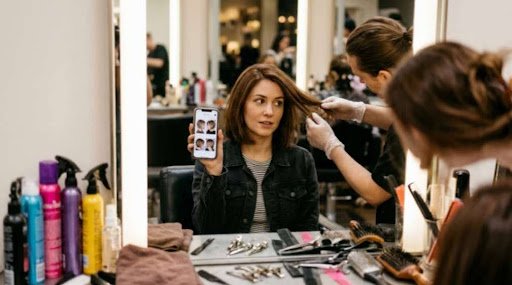
A Gemini AI hairstyle try on means uploading a selfie to Google’s Gemini app and asking it to show you with a new cut or color. It works best with a clear, front facing photo and a specific prompt. It’s a fun preview, not a promise that your hair will look that way.
Before you upload, there’s more to know than most viral posts mention. Your photo is data, the result is only a picture, and a good prompt makes a big difference. So let’s cover how a Gemini AI hairstyle preview works, which prompts to use, what happens to your selfie, and how to bring the idea to a real stylist.
How a Gemini AI Hairstyle Preview Works
Google announced photo editing in the Gemini app on April 30, 2025. According to the Google blog post by David Sharon, you can upload a picture from your phone or computer and ask Gemini to change it. Google’s own example was uploading a personal photo and asking how you’d look with different hair colors.
Here’s the basic flow:
- Upload a photo. Pick a recent selfie where your hair and face are easy to see.
- Describe the change. Name the cut, length, color and style.
- Refine it. Google says editing works in back and forth conversations, so you can say “make the bangs shorter” or “try a darker shade.”
- Save your favorites. Screenshot the ones you like and show them to your stylist.
Google also says images made or edited this way carry an invisible SynthID watermark, and it was testing a visible one. At launch, the feature wasn’t available to Google Workspace or Education users, so a school account may not work.
The Best Prompts and Photos for a Gemini AI Hairstyle
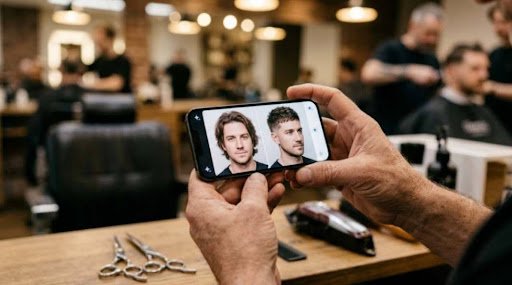
The photo and the prompt decide most of the result. For the photo, use good light, face the camera and keep your hair visible. Skip hats, heavy filters and group shots, which confuse the edit.
For the prompt, be specific and tell Gemini what to keep. Compare these.
| Weak prompt | Stronger prompt | Why it works |
| “New hairstyle” | “Keep my face, skin tone and expression exactly the same. Change only my hair to a shoulder length layered cut with curtain bangs.” | Protects your face, names the cut |
| “Make me blonde” | “Change my hair color to a soft honey blonde with a natural root, same length and style.” | Adds shade and realism |
| “Short hair for a guy” | “Give me a short textured crop with a mid fade and a natural hairline, matte finish.” | Names the cut and finish |
| “Cool hairstyle” | “Show three versions: a bob, a pixie and long layers, all in my natural color.” | Gets comparable options |
Look at the pattern. The best prompts say what to change, what to keep and how natural it should look. People also search for a Gemini AI hairstyle for men or women, and the same recipe works for both. Swap the cut and keep the rules.
A quick tip: ask for three options in one request, then pick one and refine it. That saves time compared to starting over each round.
Gemini AI Hairstyle Privacy: What Happens to Your Selfie
This is the part that most guides skip. A selfie is a photo of your face, which is sensitive personal data. The same caution applies to photo-animation tools, as we explain in our checklist for Alive AI. Google’s support page, last updated in October 2026, explains how Gemini handles your chats.
- A subset of conversations is reviewed by human reviewers, including trained service providers, to improve Google services and check for policy violations.
- Before conversations go to those providers, Google says they’re disconnected from your Google Account.
- Google warns people not to enter confidential information they wouldn’t want reviewers to see.
According to the Google support page, here’s how long things are kept.
| Setting | How long it’s kept |
| Temporary Chats, or chats while Keep activity is off | 72 hours |
| Default activity auto delete | 18 months |
| Chats reviewed by humans | Up to 3 years, even if you delete your activity |
Let’s compare. Three years is about 1,095 days. Three days is 72 hours. So a reviewed chat can be kept roughly 365 times longer than a Temporary Chat, because 1,095 divided by 3 is 365. That doesn’t mean your selfie will be reviewed, since only a subset is. It just shows why the chat setting matters.
Privacy experts raise broader worries about face photos. CyberPeace, a nonprofit, published a blog on the Gemini photo trend in October 2025. It lists risks like biometric data lingering, identity fraud and deepfakes, and it advises people to avoid uploading high resolution personal photos to apps they don’t trust.
5 Smart Privacy Moves
- Use a Temporary Chat or turn off Keep activity before you upload.
- Crop out the background. Your home, ID badge or kids don’t need to be in it.
- Use only your own photo. Don’t upload someone else’s picture without permission.
- Skip photos of children. Don’t use them for hairstyle tests.
- Delete what you don’t need from your Gemini activity afterward.
Search Engine Journal covered the same warning when it first appeared, in a February 2024 report. Google’s advice hasn’t changed: don’t enter anything you want kept private.

What a Gemini AI Hairstyle Can’t Tell You
The picture is only a picture. A Gemini AI hairstyle preview can’t measure your hair texture, thickness, growth pattern or how much styling time a cut needs. Fine, straight hair may not hold a style that looks perfect in the image. Curly hair may shrink or spring differently than the render.
Picture a guy named Daniel who loves a messy, layered look he sees in a preview. At the barber, he learns his hair grows in a cowlick at the crown, and the layers would flip up. The barber adjusts the cut, and Daniel gets a style that works. The AI gave him the idea, and the professional made it practical.
| Pros | Cons |
| Free to try a bold look without a commitment | Doesn’t know your real hair texture |
| Fast, so you can test many cuts | Can smooth or change your face |
| Gives you a reference photo for your stylist | Results vary with photo and prompt |
| Helpful for color ideas | Uploading a face has privacy trade offs |
Gemini AI Hairstyle vs Other Ways to Preview a Cut
How does it compare with the other options?
| Method | Best for | Main drawback |
| Gemini AI hairstyle preview | Quick ideas and color tests | Not based on your real hair |
| Stylist or barber consultation | A realistic plan for your hair type | Needs an appointment |
| Dedicated hairstyle apps | Browsing many preset styles | Each app has its own data policy |
| Photos of real people with similar hair | Seeing how a cut really falls | Hard to find a close match |
The smartest approach combines two. Use Gemini to explore, then bring your top picks to a stylist who can see and touch your hair.
5 Gemini AI Hairstyle Mistakes to Avoid
Most bad results trace back to the same few slips. Here are the five that matter most.
- Using a poor photo. A dark, blurry or angled selfie gives Gemini little to work with, so the hair often looks pasted on. Face the camera in daylight.
- Writing a vague prompt. “Make it better” leaves the edit to chance. Name the cut, length, color and finish.
- Forgetting to protect your face. Without a line like “keep my face the same,” the tool may smooth your skin or change your features. Say what must stay put.
- Skipping the privacy settings. Many people upload first and read later. Choose a Temporary Chat, or turn off Keep activity, before the photo goes in.
- Treating the picture as a promise. A render can’t see your hair texture or your cowlick. Take it to a stylist as a starting point, and expect changes.
Fix those five, and the average Gemini AI hairstyle test goes from “odd” to “useful.” You’ll also save yourself an awkward moment in the salon chair, which is a nice bonus. For more style inspiration, see what hit the runways in our Fashion Week NYC 2026 recap.
A Simple Checklist Before You Book the Cut
Run through this before you commit.
- Save three favorites, not just one.
- Note the details: length, layers, bangs and color.
- Show your stylist, and ask what works with your hair type.
- Ask about upkeep, like how often you’ll need a trim or color touch up.
- Start with a small change if you’re unsure, like a trim or a gloss.
And here’s how it fits different people:
- If you’re thinking of a big change, preview it first, then ask a stylist about a gradual route.
- If you’re a student on a budget, use the preview to explain exactly what you want, so you don’t waste a cut.
- If you care about privacy, use a Temporary Chat and a photo with a plain background.
- If you just want to play, try silly colors, and don’t save the photos.
Final Thoughts
A Gemini AI hairstyle preview is a smart way to explore ideas before you commit to scissors or dye. Use a clear photo, write a detailed prompt, protect your privacy and treat the image as inspiration. When you walk into the salon with a few saved looks, your stylist can turn a Gemini AI hairstyle idea into a cut that suits your actual hair.
This article is general information, not professional hair, legal or privacy advice. It isn’t affiliated with Google.
FAQ
Is the Gemini AI hairstyle feature free?
Google announced photo editing for the Gemini app in April 2025, but plans and limits change. Check the app to see what your account includes.
Can a Gemini AI hairstyle work for men?
Yes. The process is the same: upload a clear photo and name the cut, such as a textured crop or a fade, and what to keep.
What is a good Gemini AI hairstyle prompt?
Say what to keep and what to change. For example: “Keep my face the same, and change only my hair to a layered bob in natural brown.”
Is there a separate Gemini AI hairstyle app?
Editing happens inside the Gemini app. Other apps may use the same name, so check the developer and privacy policy before installing.
Is a Gemini AI hairstyle test safe for my photos?
It can be, with care. Google says a subset of chats is reviewed by humans, so use a Temporary Chat, avoid private details and don’t upload other people’s photos.